
Aesthetic Font Not Showing? How to Fix Unicode Font Squares
If you have spent time customizing your Instagram bio, Discord profile, or gaming status only to find that your aesthetic font not showing up as intended, you are not alone. Instead of the elegant, cursive, or Gothic letters you copied, you are likely seeing empty squares, question marks, or broken symbols.

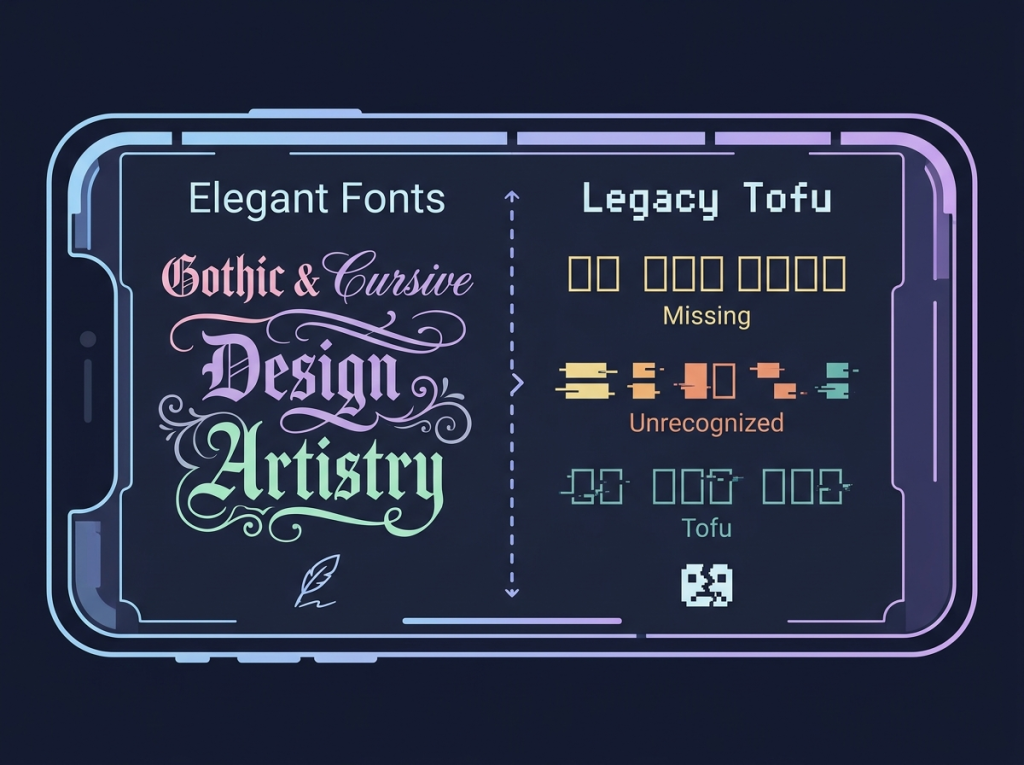
This happens to digital creators and gamers every day. When your text appears as a series of boxes—often called “tofu” in typography—it means your device’s operating system cannot map the specific character you chose to a font file it recognizes. Understanding why this happens and how to resolve it is key to maintaining your brand’s visual identity across social platforms.
Why Is Your Aesthetic Font Not Showing?
The primary reason for these rendering issues lies in how Unicode works. When you copy a font from an online generator, you are not actually copying a traditional desktop font file (like a .ttf or .otf file). Instead, you are copying Unicode characters.
Unicode is an international standard that assigns a unique number to every character across all writing systems. Many “aesthetic” font generators use rare, mathematical, or archaic symbols from the Unicode library to mimic different typefaces.
However, if your device (such as an older Android phone or a specific web browser) does not have a font installed that supports those specific Unicode points, it simply displays a “placeholder” square. This is a technical limitation of the rendering screen, not a flaw in your copy-pasting process.
Unicode Aesthetic Font Compatibility Tester
Type your text below to generate aesthetic styles. If they show up as empty boxes or question marks on your screen, your current browser does not support these specific Unicode characters.Type standard text here:
𝔗𝔶𝔭𝔢 𝔥𝔢𝔯𝔢 𝔲𝔫𝔦𝔠𝔬𝔡𝔢
𝕋𝕪𝕡𝕖 𝕙𝕖𝕣𝕖 𝕦𝕟𝕚𝕔𝕠𝕕𝕖
𝒯𝓎𝓅𝑒 𝒽𝑒𝓇𝑒 𝓊𝓃𝒾𝒸𝑜𝒹𝑒
𝗧𝘆𝗽𝗲 𝗵𝗲𝗿𝗲 𝘂𝗻𝗶𝗰𝗼𝗱𝗲
Note: Standard bold and sans-serif styles are highly compatible across modern iOS, Android, and Windows systems.
Troubleshooting Unicode Rendering Errors
If you frequently encounter formatting display errors across web properties and native devices, systematically analyze the issue using these diagnostic steps.
Check for Operating System Compatibility
Older versions of Android and iOS have limited Unicode support. If your device is running an outdated operating system, it may lack the updated character sets needed to display modern, stylized symbols. Always check for system updates in your settings menu to ensure you have the latest library of supported characters.
Browser and App Limitations
Some applications, such as specific mobile games or lightweight social media wrappers, use their own internal fonts that are strictly limited to standard English alphanumeric characters. In these environments, even if you paste perfectly valid Unicode, the app’s internal engine is programmed to ignore or “break” any character outside of its own allowed set.
Avoid Overly Complex Symbols
Not all Unicode characters are created equal. While basic bold or italicized Unicode usually renders fine on almost any device, the more exotic, hand-written script or elaborate Gothic characters are prone to failure. If you are struggling with display issues, try selecting a cleaner, more simplified version of the font.
Practical Solutions for Your Content
When you are managing a website or a social profile, consistency is everything. If your audience sees broken boxes, it lowers the perceived professionalism of your platform and can harm search metrics like visitor dwell time.
✔Utilize Standard Alternatives
If you are dealing with a critical piece of content where you cannot afford rendering errors, lean toward monospaced or standard sans-serif options. These are universally supported across all devices, ensuring that your text will always appear exactly as you intended, regardless of the user’s screen or OS.
✔Testing Across Devices
Before finalizing your social media bio or gaming script, perform a “cross-device test.” Copy your text and view it on a secondary device—ideally one with a different operating system. If it works on your phone but fails on a desktop, you know that the specific character set is not universally supported.
✔Managing Scripted Fonts
Many users try to force cursive characters into places where they were never intended to exist. Cursive Unicode symbols can often fail to render because they are not part of the standard set intended for UI (User Interface) design. If you must use them, keep them limited to high-impact areas like titles or short bios, rather than long-form content or critical information.
Conclusion
Seeing your aesthetic font not showing as a row of broken boxes is frustrating, but it is a manageable technical hurdle. By understanding that these “fonts” are actually Unicode characters dependent on your device’s support library, you can make smarter choices about which styles to use.
Focus on prioritizing cross-platform readability over extreme complexity. By testing your text across different devices and opting for more stable Unicode sets, you can ensure your digital presence remains sharp, clear, and perfectly formatted for every one of your followers.