
How to Font Pairing Like a Pro (With Examples)
Unlock the secrets of professional typography and transform your digital projects with expert-level layout strategies.
Choosing the right typography is often the difference between a design that looks amateur and one that feels premium. When you master font pairing, you aren’t just picking two pretty styles; you are creating a visual hierarchy that guides the reader’s eye and establishes your brand’s personality. Typography is the “voice” of your brand—it speaks before the user even reads the first word.
In the world of professional design, fonts are more than just aesthetic choices. They are functional tools used to improve UX (User Experience) and CX (Customer Experience). A poorly paired set of fonts can cause “cognitive friction,” making the reader work harder than they should to digest your information. Conversely, a perfect match feels invisible—it facilitates a flow that keeps users engaged for longer.
The Golden Rules of Font Pairing
To avoid visual clutter, professional designers follow a few core principles. The goal is to create contrast without causing conflict. When font aesthetic conflict, the design looks messy; when they contrast, it looks intentional.
1. Create Contrast, Not Conflict
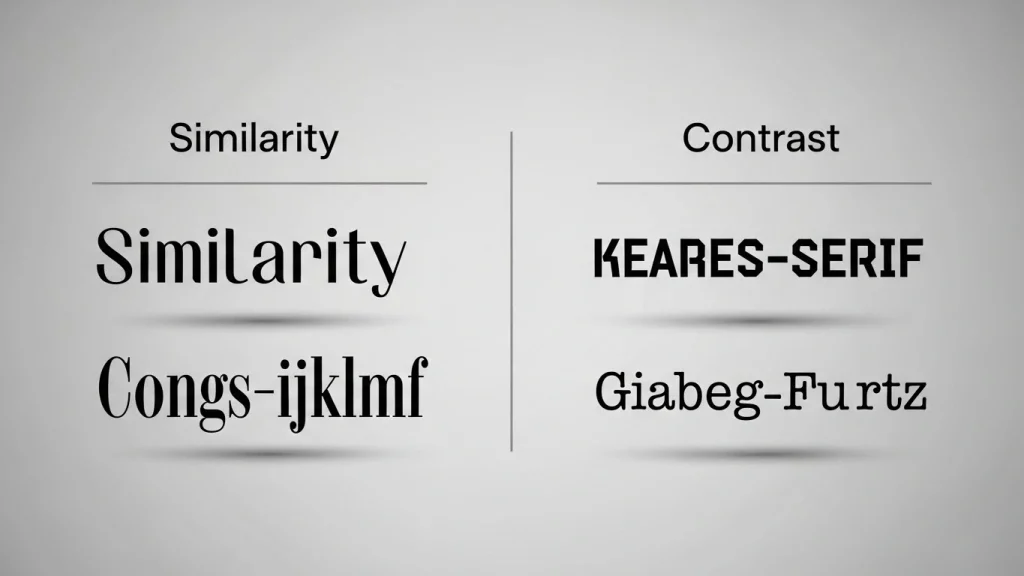
The biggest mistake beginners make is picking two fonts that are too similar. If you use two different Serif fonts—like Times New Roman and Georgia—it often looks like a mistake rather than a choice. This is because their “personalities” are too close, creating a jarring experience for the eye.
The Pro Tip: Look for “opposites” that share a common trait. Pair a tall, condensed Sans-Serif with a wider, traditional Serif. The difference in their anatomy provides the visual “pop” needed to separate headings from body text instantly.
2. Limit Your Palette (The Power of Two)
In typography, less is almost always more. Stick to two, or at most three, different typefaces. Using too many fonts—a common trap in early 2000s web design—makes the page feel chaotic, loud, and uncoordinated.
When you use more than three fonts, the reader’s brain has to re-calibrate for every new style it encounters. By limiting your palette, you create a sense of cohesion that tells the user, “This information is organized and trustworthy.”
3. Assign Clear Roles and Hierarchy
Define exactly what each font is for. Having a standard system ensures consistency across your entire project, which is vital for long-form content like blogs or technical whitepapers.
Primary
The Lead
Reserved for H1 and H2 tags. Needs personality and weight.
Secondary
The Workhorse
Your body text. Must be highly legible and comfortable at 16px.
Tertiary
The Accent
For captions, data labels, and buttons. Often a mono or all-caps font.
The Psychology Behind Typography
Why do law firms always use Serif fonts while tech startups love Sans-Serifs? It comes down to psychology. Serif fonts (with the small “feet” on characters) evoke feelings of tradition, history, and reliability. Sans-Serif fonts represent modernity, transparency, and efficiency.
When you select your pair, ask yourself: How do I want the reader to feel? If you are writing a luxury blog, an elegant Serif like ‘Playfair Display‘ is non-negotiable. If you are building a tool for developers, a clean ‘Inter’ or ‘JetBrains Mono’ will build immediate rapport with your audience.
Proven Font Combinations That Work
Style Palette
Typography Duo
Ideal Context
The Modern CorporateProfessional & Trustworthy
Montserrat / Lora
Finance & Legal
The Editorial EliteSophisticated & Fashionable
Playfair / Inter
Lifestyle Blogs
The Silicon ValleyFast-paced & Human
Outfit / Open Sans
Tech Startups
The Academic HubStructured & Knowledgeable
Merriweather / Lato
Education
Common Pitfalls to Avoid
Even the best-planned pairs can fail in execution. Here are the three most common mistakes that can ruin an otherwise perfect typography system.
Ignoring Line Height (Leading)
A font pair might be perfect, but if the lines of text are too close together, it creates “unconscious stress.” For body text, aim for a line-height of 1.5 to 1.8 for maximum readability.
Mobile Scaling Issues
A bold display font might look amazing on a 27-inch desktop but become unreadable on a smartphone screen. Always test your pairings on mobile devices to ensure the hierarchy holds up.